Help to stop spam emails

Collapse
X
 
  • Time
  • Show
Clear All
new posts
  • Major Tom
    Very Senior Member - OFC
    • Aug 2009
    • 6181

    #1

    Help to stop spam emails

    I use Mozilla Firefox. I've been getting a lot of spam emails lately. How do I block them? I do not open those emails.
    Thanks
  • lyman
    Administrator - OFC
    • Aug 2009
    • 11296

    #2
    ignore them, as in delete,

    do yourself a favor,
    create a second email address for yourself,

    anytime an online purchase, or subscription etc etc asks for an email address , use the new one,

    that way all the BS goes to a separate account, you can go thru and purge weekly, monthly, whatever and the folks you regularly communicate with will have your 'good' account

    Comment

    • dryheat
      Senior Member
      • Sep 2009
      • 10587

      #3
      Look at the fine print at the bottom. Some will have an un-subscribe button.
      If I should die before I wake...great,a little more sleep.

      Comment

      • Major Tom
        Very Senior Member - OFC
        • Aug 2009
        • 6181

        #4
        I have used the un-subscribe button for ones I did open that were not porno related or looked fishy.

        Comment

        • PaFrank
          Senior Member
          • Aug 2009
          • 414

          #5
          Add these two things to your browser and I hope it is Firefox. Internet explorer, chrome, and Edge are invasive and intrusive.
          Add these...
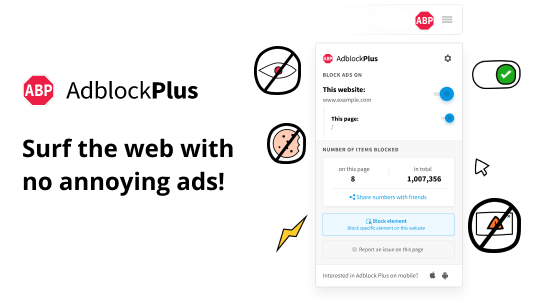
          Adblock Plus, the most popular ad blocker on Firefox, Chrome, Safari, Android and iOS. Block pop-ups and annoying ads on websites like Facebook and YouTube.

          and


          and as far as unsubscribe goes, ONLY UNSUBSCRIBE FROM SOMETHING YOU KNOW YOU SUBSCRIBED TO. TO BEGIN WITH. Otherwise just direct it to your spam folder. By unsubscribing from an email you didn't subscribe to, you have just confirmed for the spammer that your email address is a good one!

          And for websites that insist on an email address, you should have "throw away" email address to use for that. If it turns out to be something you want to keep or expand, you can always move it to your permanent email addres.
          Last edited by PaFrank; 05-24-2021, 02:54.
          He who beats his sword into a plowshare, will soon be plowing for somebody else!

          Comment

          • Johnny P
            Senior Member
            • Aug 2009
            • 6269

            #6
            On my Mac moving the e-mails to junk (not trash) directs any new e-mails from sender to junk without hitting inbox.

            Comment

            • lyman
              Administrator - OFC
              • Aug 2009
              • 11296

              #7
              Originally posted by Johnny P
              On my Mac moving the e-mails to junk (not trash) directs any new e-mails from sender to junk without hitting inbox.
              comcast email does the same, as does my outlook

              Comment

              • dryheat
                Senior Member
                • Sep 2009
                • 10587

                #8
                Pa Frank seems to be on the money. I heard Firefox was better at blocking spam so I use them. I also have an ad blocker. I have a dummy email address for junk. I look at it once every few months and delete all 300 messages after a quick look. Some good tips on un subscribe.
                If I should die before I wake...great,a little more sleep.

                Comment

                • Major Tom
                  Very Senior Member - OFC
                  • Aug 2009
                  • 6181

                  #9
                  My problem with SPAM using Mozilla is that you have to open the suspicious email to 'unsubscribe'. There is no way to block them!

                  Comment

                  • PaFrank
                    Senior Member
                    • Aug 2009
                    • 414

                    #10
                    Originally posted by Major Tom
                    My problem with SPAM using Mozilla is that you have to open the suspicious email to 'unsubscribe'. There is no way to block them!
                    Tom,

                    You DO NOT want to unsubscribe from anything you did not personally subscribe to. By doing so, you have just confirmed for the spammer that your address is a good one, and you will get MORE SPAM. If is suspicious, just mark it as spam and forget it. If it is anything of importance, they will find another way to reach you.
                    He who beats his sword into a plowshare, will soon be plowing for somebody else!

                    Comment

                    Working...